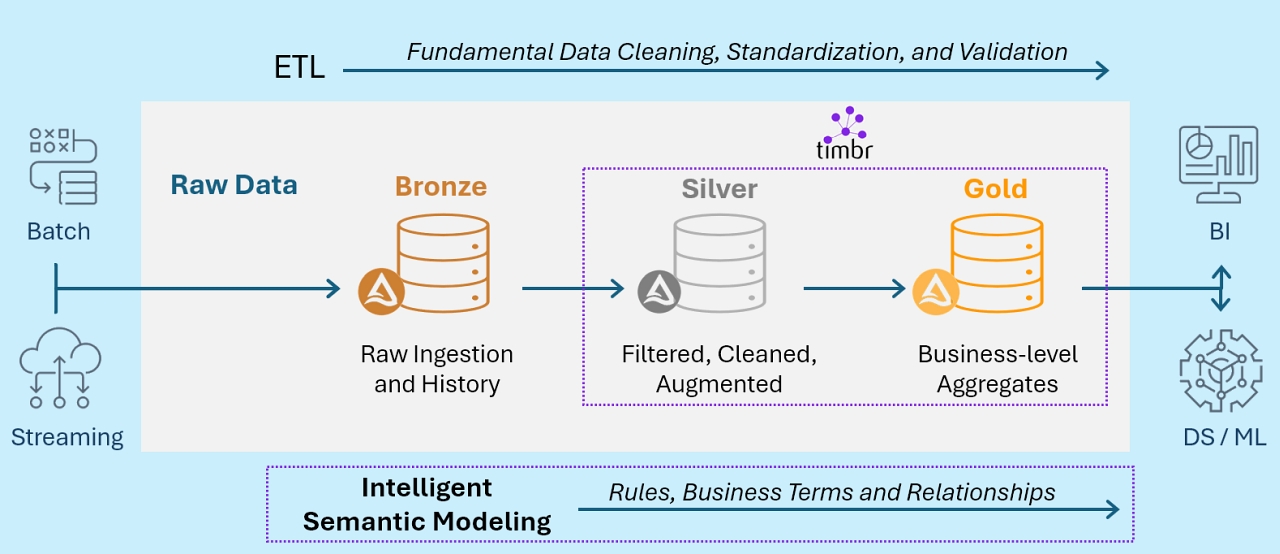
Timbr’s native integration with Databricks enables fully declarative definition of semantic models, so business context, relationships and business rules are defined as part of the data pipeline within a single development environment.
This integrated approach allows for a more dynamic and context-aware data quality assurance, ensuring data integrity and consistency with business logic, and offers several advantages:
- Unified data quality management: Data cleaning and validation occur not just during ETL, but continuously as data is accessed and analyzed through the semantic layer.
- Business-context preservation: The semantic model ensures that data transformations and validations align with business meanings and relationships.
- Flexible rule application: Business rules can be adjusted in the semantic model without necessarily altering underlying ETL processes.
- Enhanced data governance: The semantic layer integrates with Databricks Unity Catalog to provide a centralized point for managing data definitions, relationships, and quality rules.
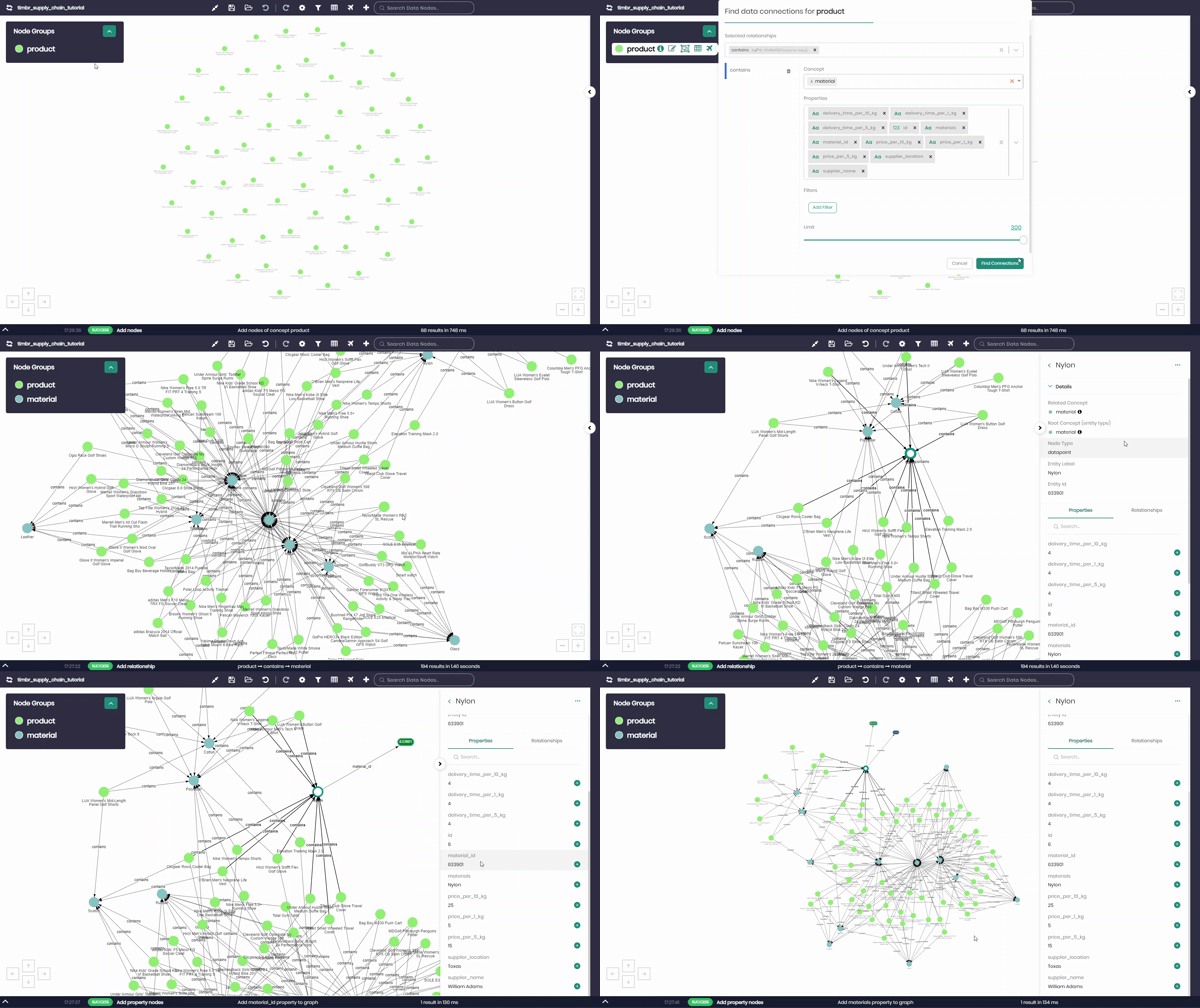
Timbr offers two options of semantic data modeling:
- Intuitive visual UI (no-code).
- SQL-based declarative modeling capabilities.
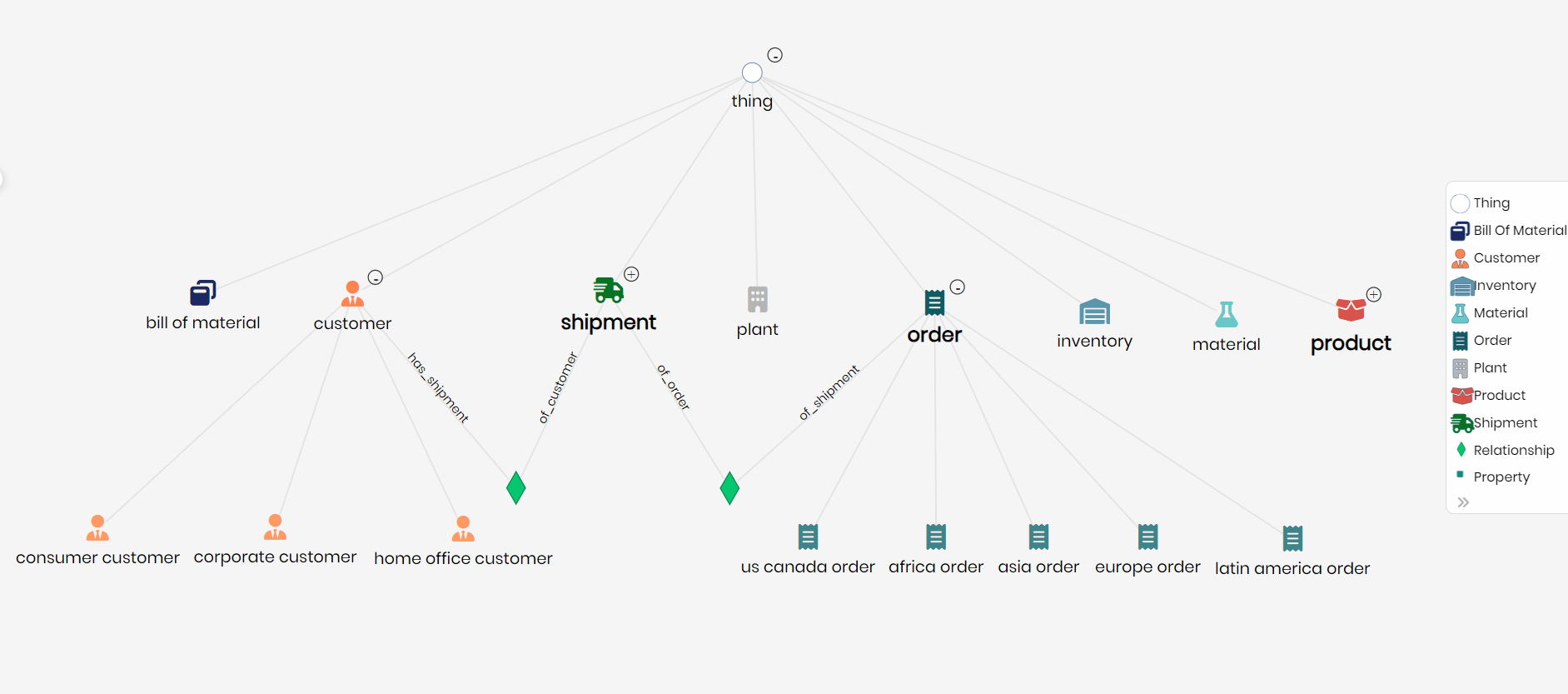
For users that prefer SQL coding, Timbr offers SQL extensions for modeling complex structures like Knowledge Graphs (ontologies) and multi-dimensional data (OLAP Cubes).
SQL extensions examples:
CREATE CONCEPT in Timbr is an extension of CREATE TABLE statement.
CREATE MAPPING in Timbr is an extension of CREATE VIEW statement.
RELATIONSHIP CONSTRAINT in Timbr is an extension of FOREIGN KEY definition to represent relationships.
The following example shows how to build, deploy, and run Delta Live Tables in Databricks notebooks and create semantic models as part of the pipeline.
We shall use “Retail Sales” from Delta Live Tables Example Notebooks
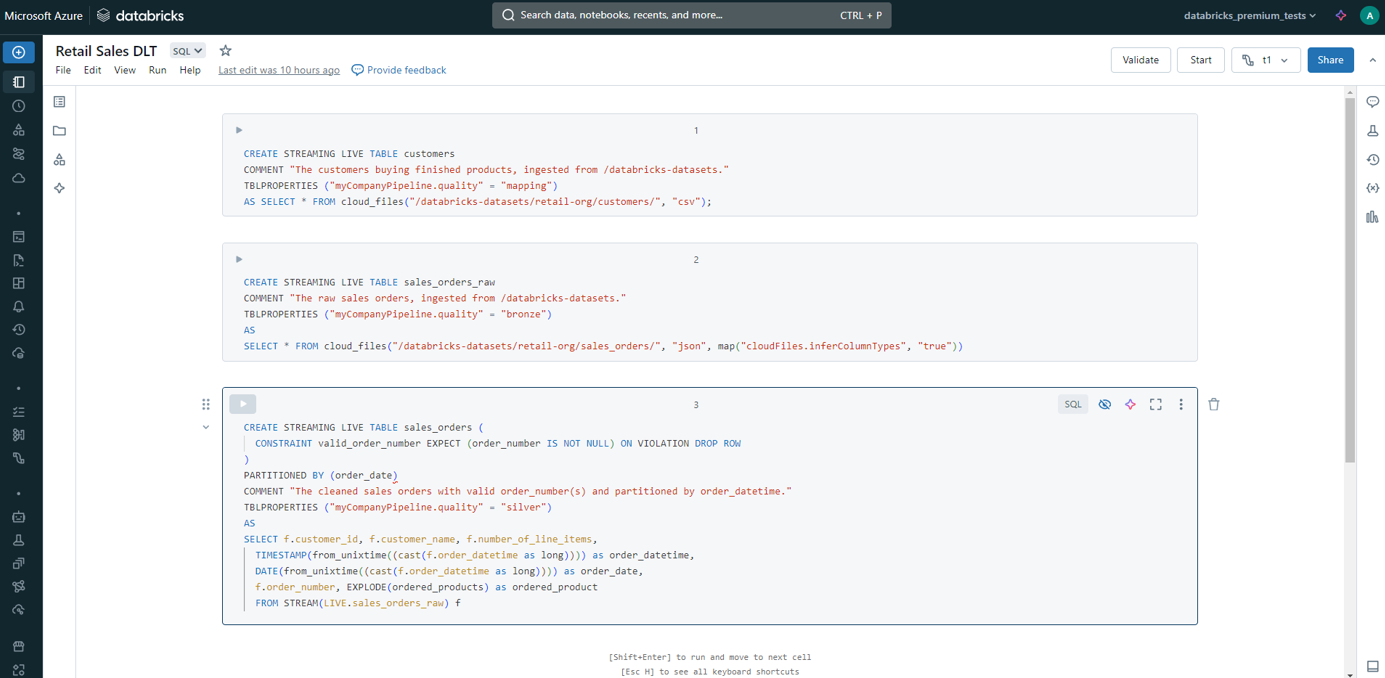
First, we create two base streaming tables:
- Customers table from CSV files
- Sales orders raw table from JSON files
Streaming tables in Databricks enable real-time data processing by ingesting and transforming streaming data into Delta tables. They provide automatic handling of data consistency, schema evolution, and incremental data processing, ensuring reliable and up-to-date data for analytics and reporting.
We also need to clean and transform the Sales orders raw table so it will be optimized for analysis:
- Date data type casting from Unix time of order-to-order date and order timestamp.
- Use EXPLODE function to UNNEST the order products data as it was originally nested in the JSON:[{“curr”:”USD”,”id”:”AVpfuJ4pilAPnD_xhDyM”,”name”:”Rony LBT-GPX555 Mini-System with Bluetooth and NFC”,”price”:993,”promotion_info”:null,”qty”:3,”unit”:”pcs”}]
We can validate that the tables definition is correct and run the job in Databricks to create the tables to be accessible in Unity Catalog:
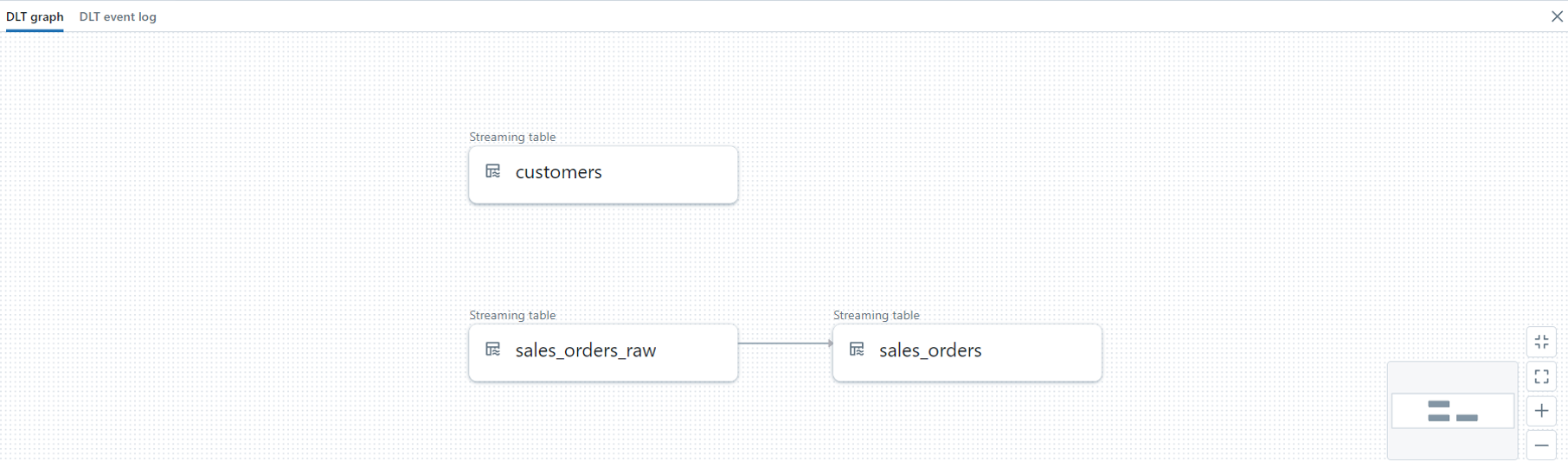
Once we have the two tables cleaned, standardized and optimized for queries (In Delta format and not CSV/JSON) we can start modeling in Timbr.
By leveraging Timbr’s native integration to Databricks, we can perform the data modeling directly from the Databricks notebook.
The first step is to create the business concepts that represent the tables we just created:
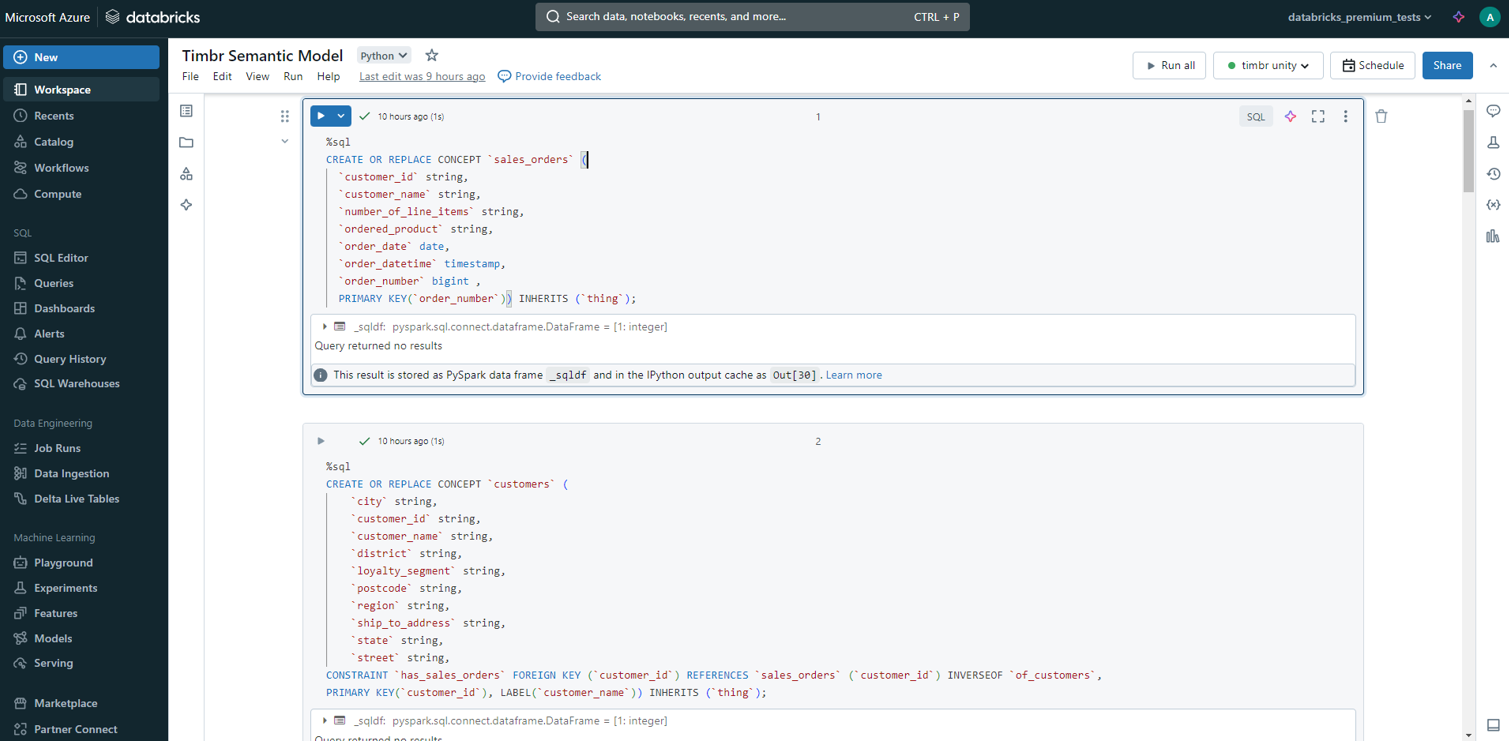
We created two concepts: customers and sales orders in Timbr SQL DDL statements. You can find additional information on Timbr SQL reference
Sales orders:
					CREATE OR REPLACE CONCEPT `sales_orders` (
  `customer_id` string,
  `customer_name` string,
  `number_of_line_items` string,
  `ordered_product` string,
  `order_date` date,
  `order_datetime` timestamp,
  `order_number` bigint ,
  PRIMARY KEY(`order_number`)) INHERITS (`thing`);
Customers:
					CREATE OR REPLACE CONCEPT `customers` (
  `city` string,
  `customer_id` string,
  `customer_name` string,
  `district` string,
  `loyalty_segment` string,
  `postcode` string,
  `region` string,
  `ship_to_address` string,
  `state` string,
  `street` string,
  CONSTRAINT `has_sales_orders` FOREIGN KEY (`customer_id`) REFERENCES `sales_orders` (`customer_id`) INVERSEOF `of_customers`,
  PRIMARY KEY(`customer_id`), LABEL(`customer_name`)) INHERITS (`thing`);
The CREATE CONCEPT statement is an extension of a CREATE TABLE as it supports both column definition to model properties, and foreign key constraints to define relationships. This makes it natural for SQL users who are familiar with CREATE TABLE statements.
In addition. we created classification for orders based on the city of the customer:
					CREATE OR REPLACE CONCEPT sales_orders_in_la INHERITS (sales_orders) from dtimbr.sales_orders WHERE of_customers[customers].city = 'Los Angeles';
CREATE OR REPLACE CONCEPT sales_orders_in_chicago INHERITS (sales_orders) from dtimbr.sales_orders WHERE of_customers[customers].city = 'Chicago';
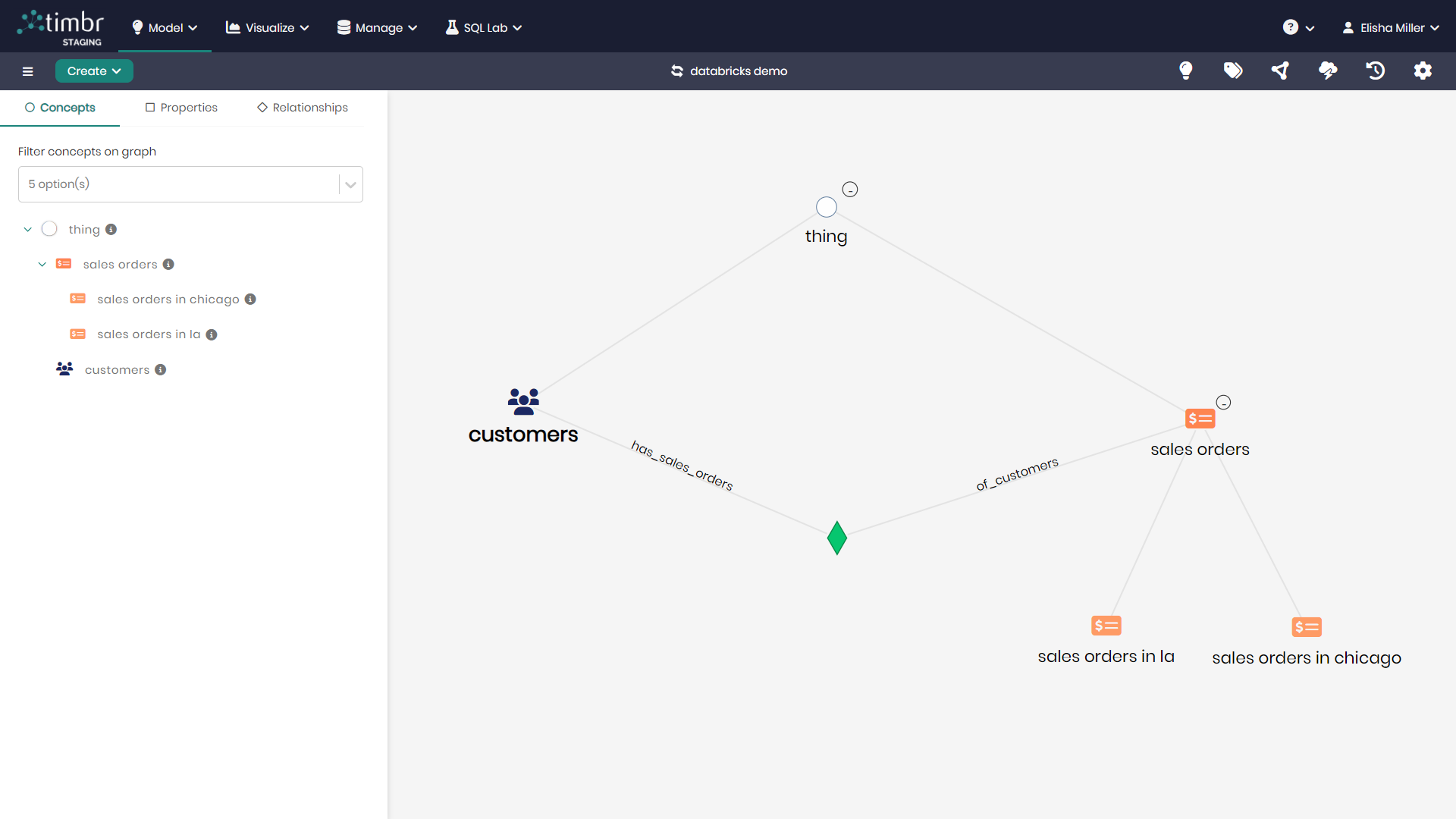
By leveraging the relationship, we created between customers concept (has_sales_orders) and sales_orders (of_customers) we can easily traverse the data model without writing a single JOIN.
The inheritance in Timbr allows you to define business rules as part of the data model and specify different classifications of concepts to create a semantic layer with business terms.
The last part is to map the data to the concepts (this can also be done automatically in the Timbr UI if you already have tables defined in Unity):
					CREATE OR REPLACE MAPPING `map_customers` INTO `customers` AS SELECT * FROM `retail_demo`.`default`.`customers`;
CREATE OR REPLACE MAPPING `map_sales_orders` INTO `sales_orders` AS SELECT * FROM `retail_demo`.`default`.`sales_orders`
The Timbr CREATE MAPPING statement is an extension of SQL CREATE VIEW as it allows you to define a query to map a source table to a target concept.
You can map multiple tables to a concept from different schemas, catalogs, and databases and Timbr will automatically take care of generating the UNION statement and fill-in the nulls (if exists).
We can now explore our data model in the Timbr UI or directly in our Databricks notebooks using Unity catalog:
Querying the Semantic Model
Timbr creates virtual schemas to represent the ontology (semantic model) in a relational model.
Standard SQL is used for querying the semantic model. When querying the virtual schemas created by Timbr, Timbr pushes down the query in the SQL dialect and functions of the underlying DB connected to Timbr (in our case Databricks SQL dialect and functions).
Timbr semantic relationships created as part of the ETL / semantic modeling workflow, are exposed in a denormalized virtual schema (dtimbr) that allows traversing data accross the datalake without need of JOIN statements, so SQL querying becomes easy and intuitive.
Users can still write JOINs and utilize any advanced SQL capability of Databricks (For example: PIVOT/Window functions). This is possible as Timbr translates the query from the virtual tables to the real tables in Databricks defined in the Timbr mappings.
This allows users to query the semantic data model directly from the Databricks notebook:
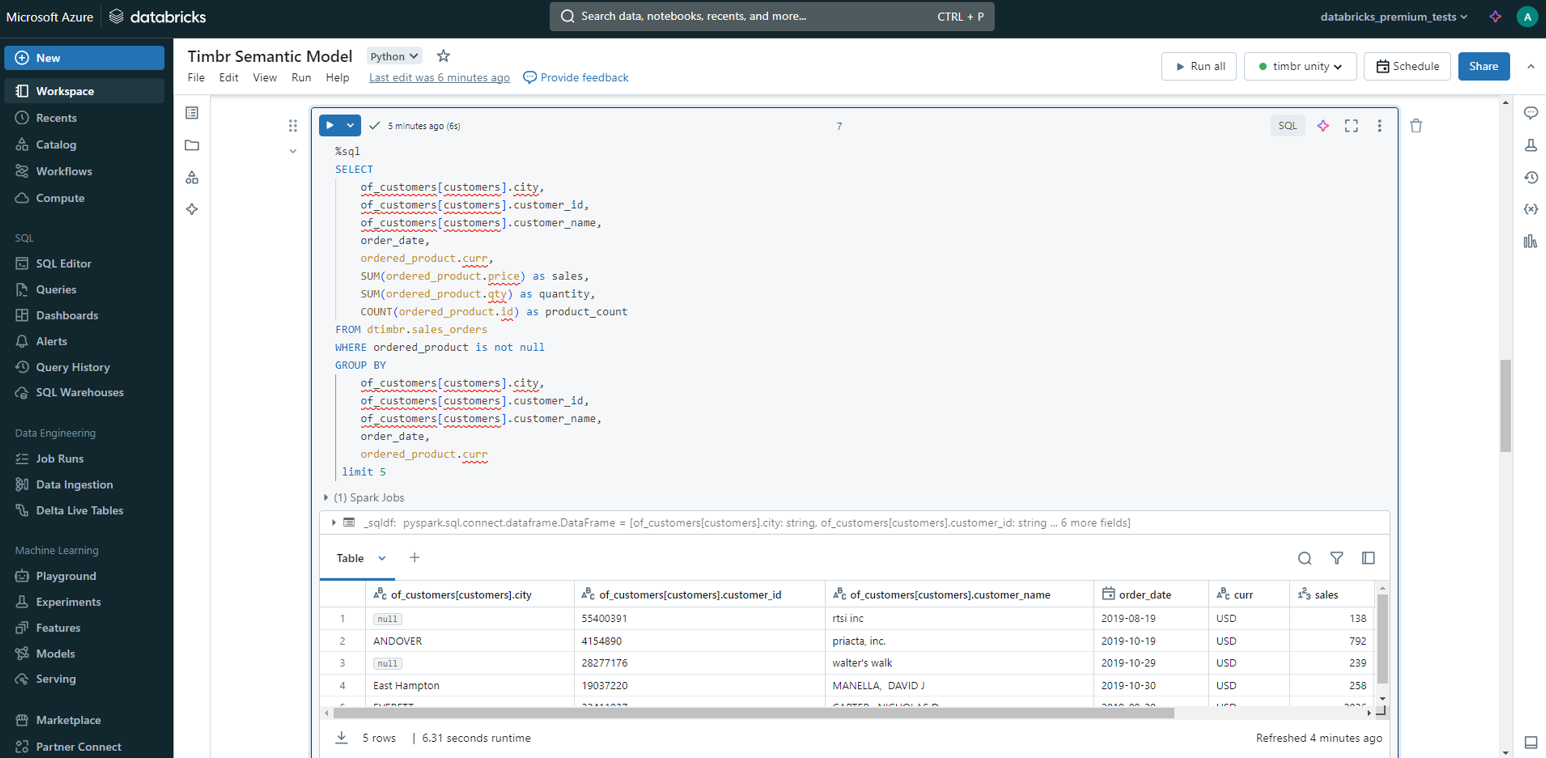
The Timbr query leveraged the relationship between sales_orders and customers so no JOIN was needed.
Behind the scenes, Timbr generates a query on the cleaned tables with a JOIN and sends it to be executed on Databricks directly.
Summary
This end-to-end pipeline shows the potential of declarative semantic modeling in Databricks.
Timbr’s robust semantic modeling capabilities allow users to define and manage complex data relationships and ontologies, enhancing data interoperability and insight generation. When combined with Databricks’ ETL processes using Delta Live Tables, users benefit from scalable and efficient data processing, real-time data ingestion, and automatic data quality checks.
The integration of the Timbr semantic model with the Databricks execution engine ensures high-quality, well-modeled data that is ready for advanced analytics and decision-making.
How do you make your data smart?
Timbr virtually transforms existing databases into semantic SQL knowledge graphs with inference and graph capabilities, so data consumers can deliver fast answers and unique insights with minimum effort.